v2ray 安装使用
使用官方脚本下载安装
bash <(curl -L https://raw.githubusercontent.com/v2fly/fhs-install-v2ray/master/install-release.sh)
会进行以下操作:
- 下载最新版V2Ray
- 安装到
/usr/local/bin/v2ray - 创建配置目录
/usr/local/etc/v2ray - 自动配置systemd服务
bash <(curl -L https://raw.githubusercontent.com/v2fly/fhs-install-v2ray/master/install-release.sh)
  % Total    % Received % Xferd  Average Speed   Time    Time     Time  Current
                                 Dload  Upload   Total   Spent    Left  Speed
100 22562  100 22562    0     0   189k      0 --:--:-- --:--:-- --:--:--  189k
info: Installing V2Ray v5.41.0 for x86_64
Downloading V2Ray archive: https://github.com/v2fly/v2ray-core/releases/download/v5.41.0/v2ray-linux-64.zip
  % Total    % Received % Xferd  Average Speed   Time    Time     Time  Current
                                 Dload  Upload   Total   Spent    Left  Speed
  0     0    0     0    0     0      0      0 --:--:-- --:--:-- --:--:--     0
100 16.6M  100 16.6M    0     0  18.3M      0 --:--:-- --:--:-- --:--:-- 87.4M
Downloading verification file for V2Ray archive: https://github.com/v2fly/v2ray-core/releases/download/v5.41.0/v2ray-linux-64.zip.dgst
info: Extract the V2Ray package to /tmp/tmp.mcndS2SMXM and prepare it for installation.
info: Systemd service files have been installed successfully!
warning: The following are the actual parameters for the v2ray service startup.
warning: Please make sure the configuration file path is correctly set.
~~~~~~~~~~~~~~~~
[Unit]
Description=V2Ray Service
Documentation=https://www.v2fly.org/
After=network.target nss-lookup.target

[Service]
User=nobody
CapabilityBoundingSet=CAP_NET_ADMIN CAP_NET_BIND_SERVICE
AmbientCapabilities=CAP_NET_ADMIN CAP_NET_BIND_SERVICE
NoNewPrivileges=true
ExecStart=/usr/local/bin/v2ray run -config /usr/local/etc/v2ray/config.json
Restart=on-failure
RestartPreventExitStatus=23

[Install]
WantedBy=multi-user.target
# In case you have a good reason to do so, duplicate this file in the same directory and make your customizes there.
# Or all changes you made will be lost!  # Refer: https://www.freedesktop.org/software/systemd/man/systemd.unit.html
[Service]
ExecStart=
ExecStart=/usr/local/bin/v2ray run -config /usr/local/etc/v2ray/config.json
~~~~~~~~~~~~~~~~
warning: The systemd version on the current operating system is too low.
warning: Please consider to upgrade the systemd or the operating system.

installed: /usr/local/bin/v2ray
installed: /usr/local/share/v2ray/geoip.dat
installed: /usr/local/share/v2ray/geosite.dat
installed: /usr/local/etc/v2ray/config.json
installed: /var/log/v2ray/
installed: /var/log/v2ray/access.log
installed: /var/log/v2ray/error.log
installed: /etc/systemd/system/v2ray.service
installed: /etc/systemd/system/v2ray@.service
removed: /tmp/tmp.mcndS2SMXM
info: V2Ray v5.41.0 is installed.
You may need to execute a command to remove dependent software: yum remove curl unzip
Please execute the command: systemctl enable v2ray; systemctl start v2ray
服务端
{
    "inbounds": [
        {
            "port": 10086, // 服务器监听端口
            "protocol": "vmess",
            "settings": {
                "clients": [
                    {
                        "id": "b831381d-6324-4d53-ad4f-8cda48b30811"  // UUID
                    }
                ]
            }
        }
    ],
    "outbounds": [
        {
            "protocol": "freedom"
        }
    ]
}
UUID Generator v2ray tool uuid generate
客户端使用 Shadowrocket
systemctl enable v2ray
systemctl start v2ray
systemctl restart v2ray
systemctl status v2ray
另外发现服务器上不知道什么时候的sing-box,找不到了。
通过端口 lsof -i :${port} 可以看到对应进程PID

top -p ${PID}
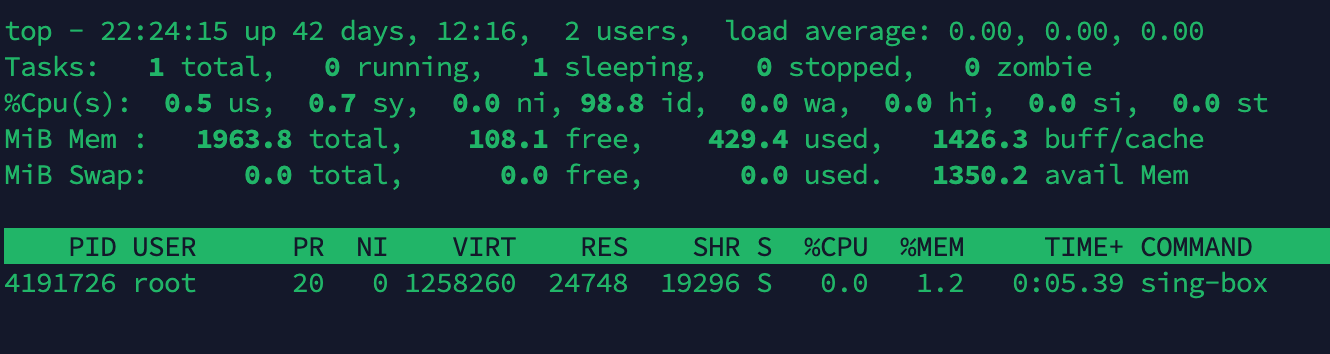
查看进程详情ll /proc/${PID}
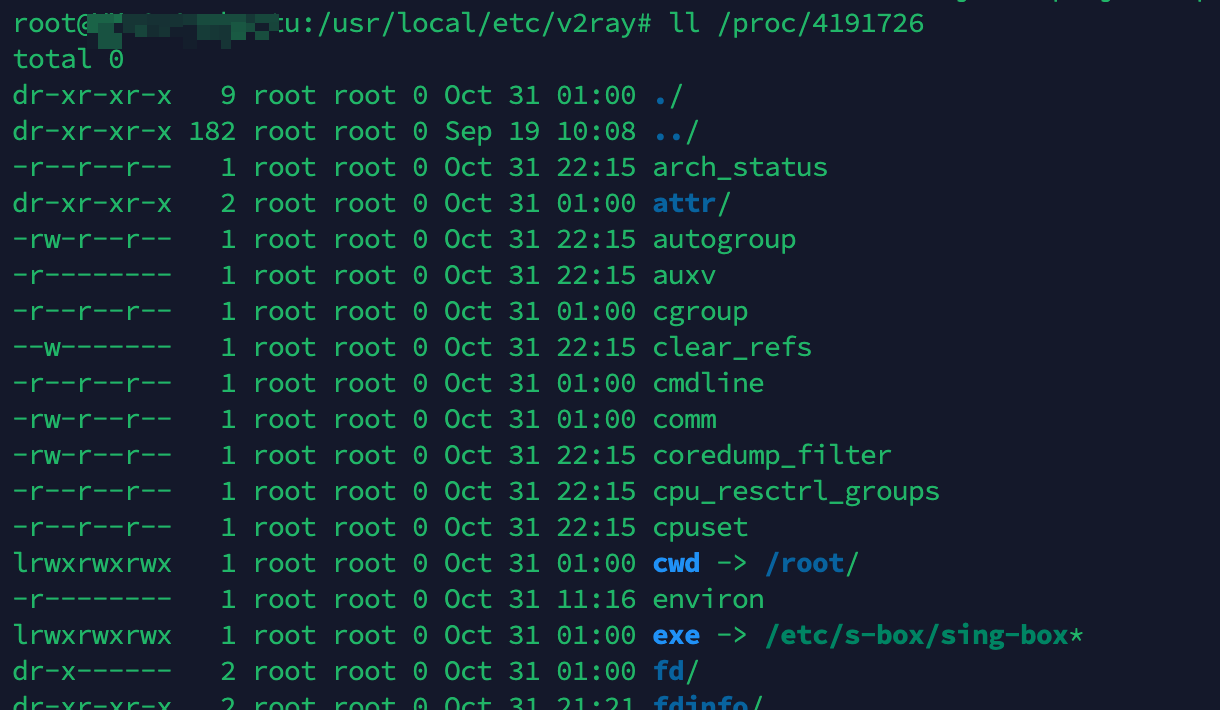
`cwd` 链接到进程运行的目录

`exe` 链接到进程运行的绝对路径
参考
https://jishuzhan.net/article/1932679439594336257